Keep every lead in sight
Track enquiries, sources and pipeline stages.


One app. The whole workday.
From the first call to the final payment. Keep your jobs, customers and crew connected in the phone you already carry.
No credit card. Bring one live job.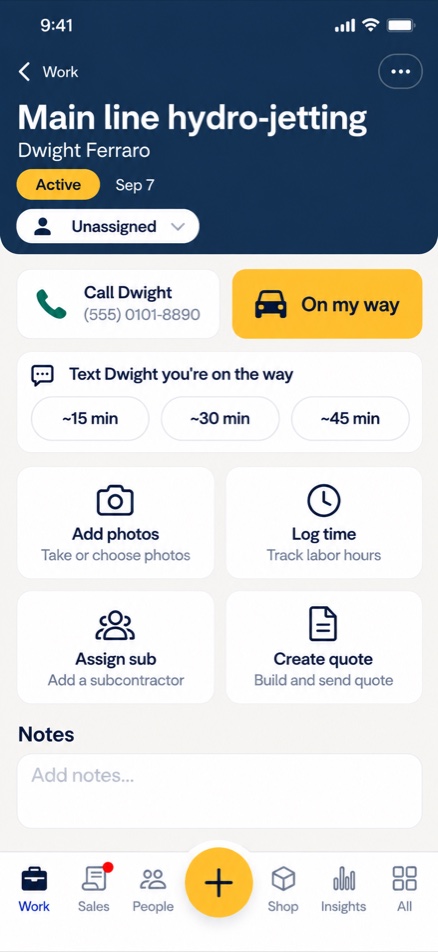
Take a closer look
Explore the screens you’ll use every day. Built around the job, with the next step always close by.
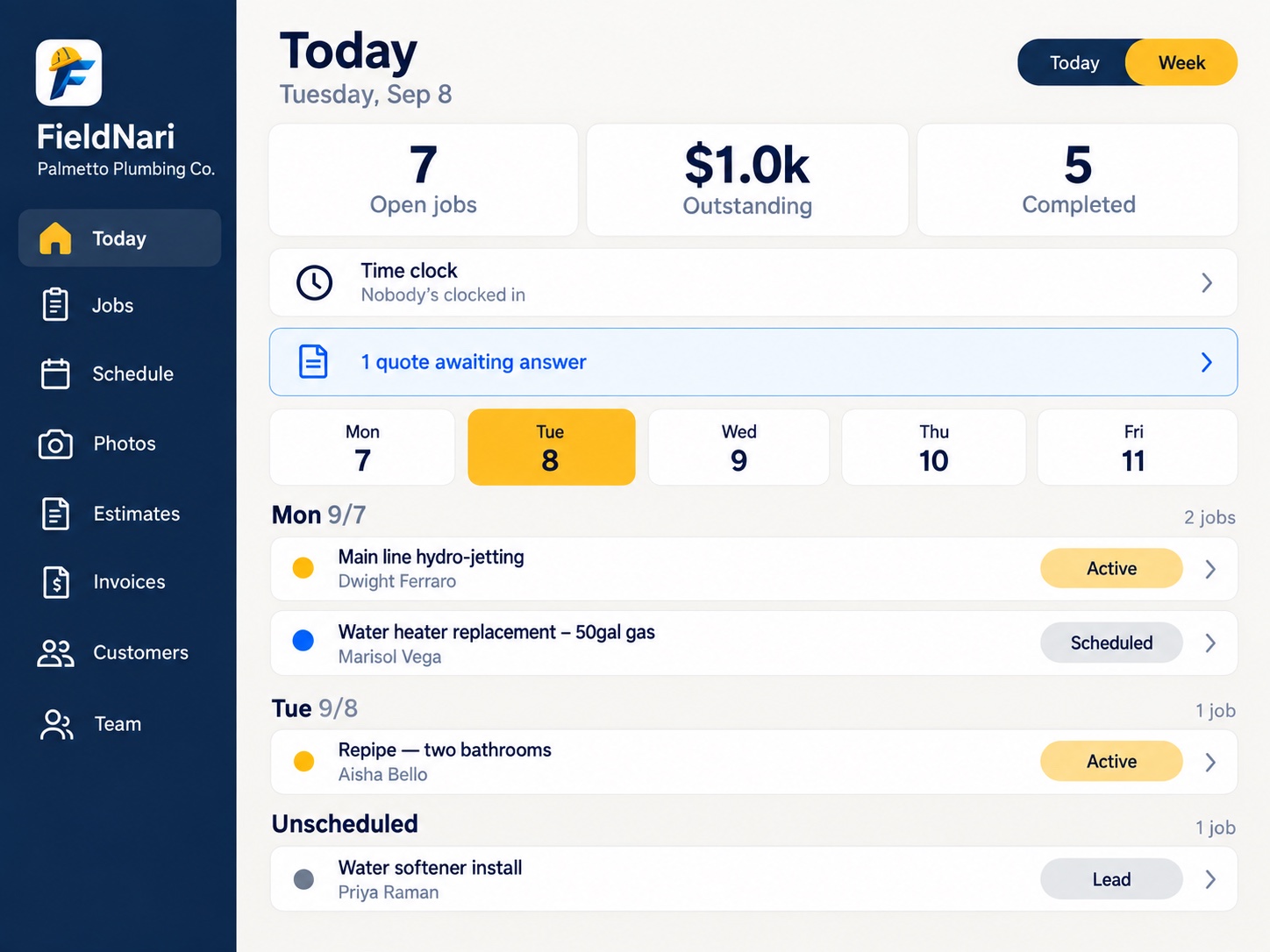
Open jobs, outstanding invoices and the week’s schedule, together on your home screen.
View full-size screen Current app screen · demo data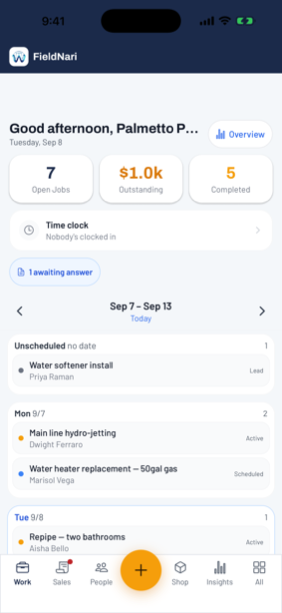
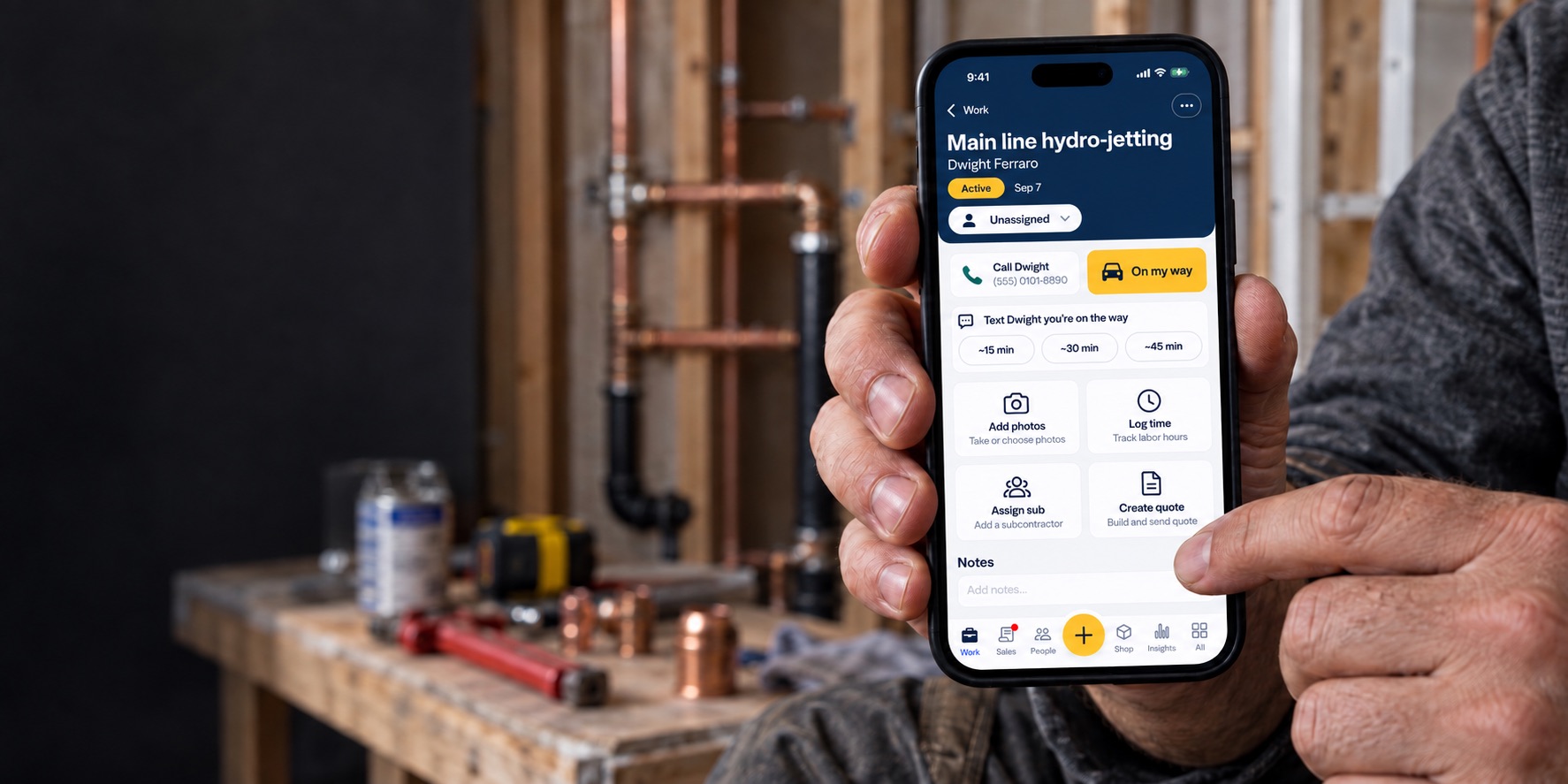
Call the customer, send your arrival time, add photos, log labor and assign a subcontractor from the job record.
View full-size screen New UI preview · demo data
Clear line items and totals, an accepted status, and the next step into an invoice.
View full-size screen Current app screen · demo data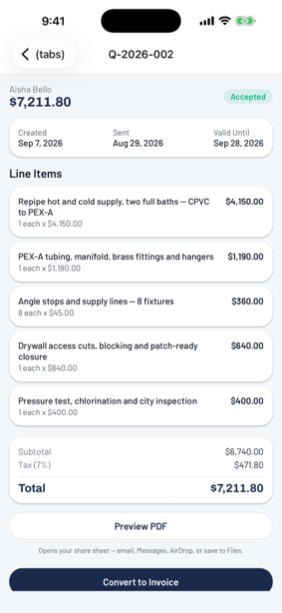
Clock in, review the team’s weekly hours and see recent punches in one place.
View full-size screen Current app screen · demo data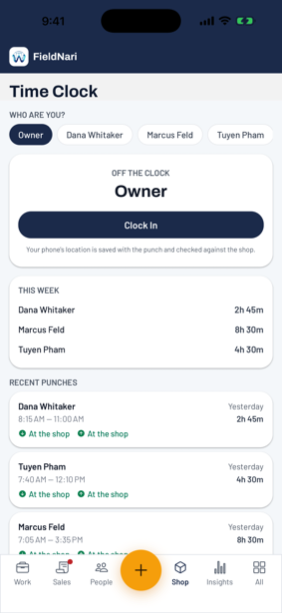
See the amount due, share the invoice and generate a payment link from your phone.
View full-size screen Current app screen · demo data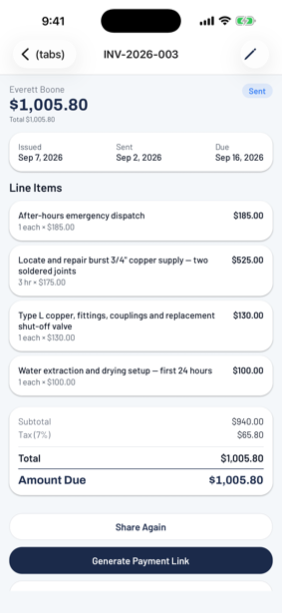
01 / Win the work
Turn enquiries into clear quotes. Give your customer the details they need to say yes, then keep the job moving.
Track enquiries, sources and pipeline stages.
Use service templates, line items and options.
Capture a signature on site and carry approved work into the invoice.
Actual app screen · demo quote
02 / Run the job
The address, customer, photos, hours and parts belong with the work. Keep them on the job record.
Plan the day, week and crew. Keep scheduled jobs and open work in view.
Attach before-and-after photos to the job they belong to.
Log labor against a job and review the team’s time clock.
Keep the materials used connected to the work you need to bill.
Actual app screen · demo invoice
03 / Get paid
Finish the paperwork while the job is still fresh. Carry the approved estimate forward, account for the work, and send your customer a way to pay.
Clear line items, totals and amount due.
Card or bank payment from an invoice link.
Revenue and unpaid invoice reporting.
04 / Bring the crew
Bring in help without handing over your customer list or pricing. Subcontractors get the job information they need.
123 Maple Avenue
Photos stay with this job. No access to your other jobs.
8:00 AM – 12:30 PM
The sub sees their time for this job.
Illustrative interface · sample job
Share scope, site details, photos and hours. Keep customer contacts, pricing and other jobs hidden.
Keep sites and past jobs connected to the customer.
Customer messages belong alongside the work.
When the signal drops
Previously loaded jobs and customer details stay readable offline. FieldNari shows how old the information is and refreshes when you reconnect.
Offline access is read-only. Changes require a connection.The new UI / tablet preview
More room for the schedule, with the same clear navy headers and yellow accents as the phone preview.
 New UI concept · demo data
A practical daily routine
Start with the schedule, open the job and keep the details close. FieldNari brings the information around the work into one place.
Review open jobs, the weekly schedule and outstanding invoices. Open the job before leaving to check the customer and work details.
Contact the customer, send your arrival time, add photos and record labor. The new interface direction puts these everyday actions together.
Review the record, prepare the invoice and keep the customer’s history connected to the job.
The details that matter
Practical answers before you bring your next job into FieldNari.
More time for what matters
Run your trade business with less
admin and more freedom.